Field Store on Next.js
The store on the Next.js App Router with shadcn/ui, where Server Components render the pages, client components hold the tools, the chat is a shadcn block, and the API key provably stays on the server.
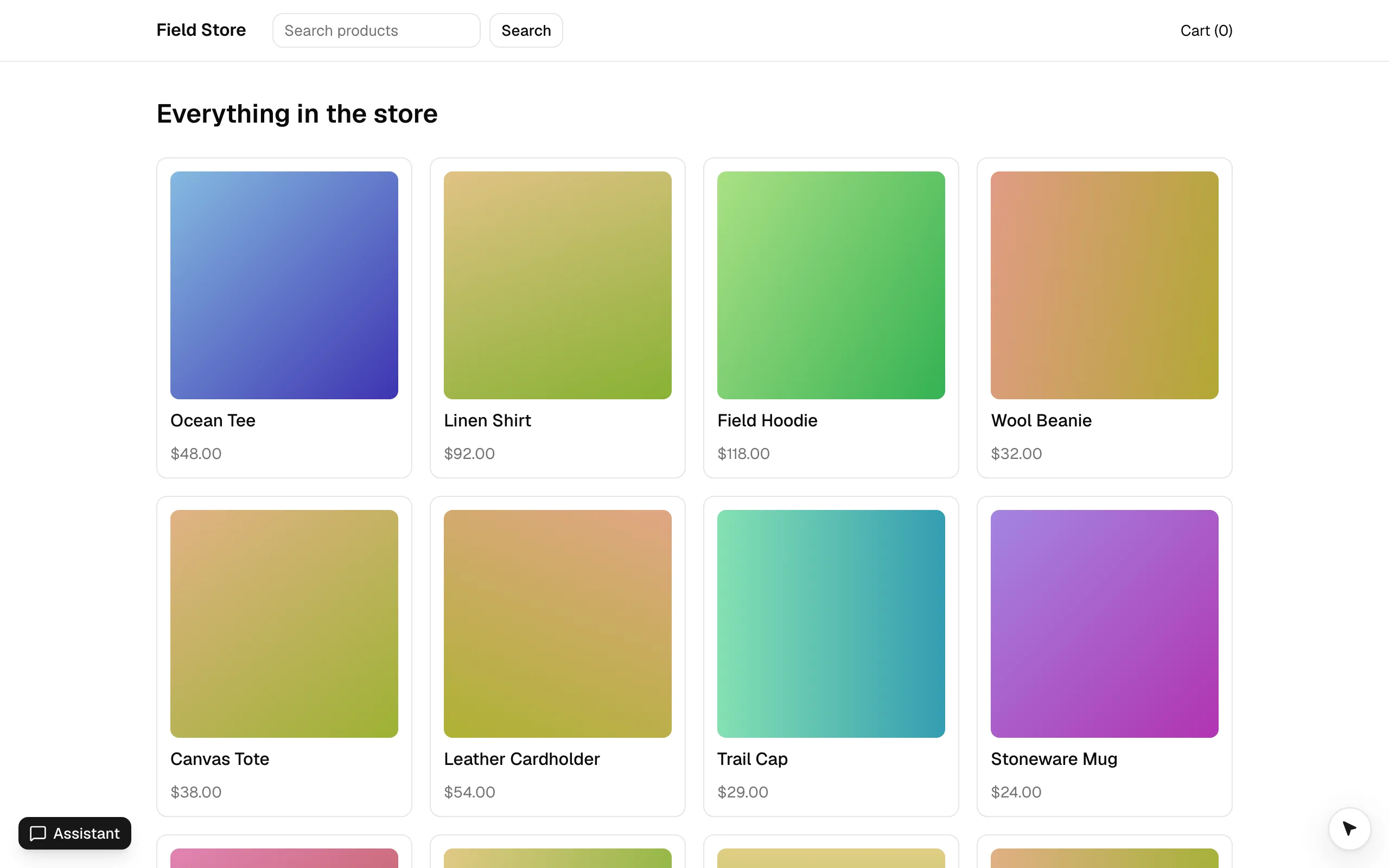
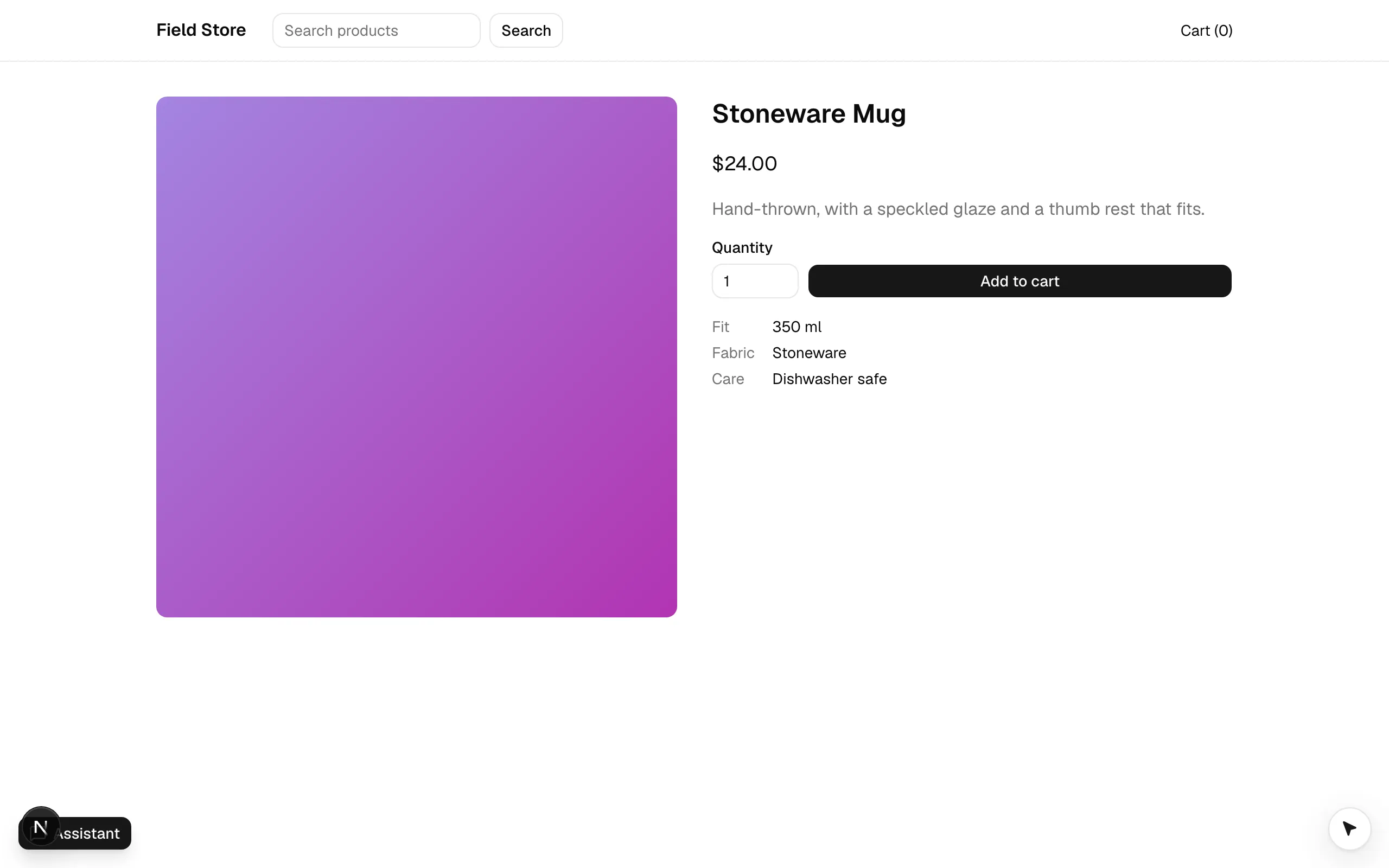
examples/nextjs is Field Store again, trimmed to home, product, cart and checkout, on Next.js 16 (App Router,
Turbopack) with shadcn/ui (Tailwind v4). It exists to show three things the Vite examples can’t:
- Server Components render the pages; only the tools that live in a component and the chat are client components (they need the DOM).
- The chat is a shadcn block (
agent-chatfrom the@webmcp-agentsregistry), built onuseAgentChatand shadcn/ui’s AI patterns: Message Scroller, Tool (Trace), Subagent, Reasoning, Prompt Input, Model Selector. - The key never reaches the client: it lives in a
server-onlymodule and is tainted with React’sexperimental_taintUniqueValue, so a Server Component can’t pass it to a client component by accident.
Run it
pnpm --filter @webmcp-agents/example-nextjs dev    # http://localhost:5176; builds the packages it consumes first
pnpm --filter @webmcp-agents/example-nextjs e2e    # Playwright, desktop + Pixel 7
Put a key in examples/nextjs/.env.local (see .env.example); never with a NEXT_PUBLIC_ prefix. In development the
devtools panel is on Alt+Shift+A, and window.agent.invoke("open_product", { slug: "ocean-tee" }) works from the console.
Where things are
- app/
- layout.tsx (Server Component: fonts, the agent cursor’s stylesheet,
<Providers>) - providers.tsx (“use client”:
<WebAgentsProvider tools={tools}>, header, the chat block) - page.tsx (home, a Server Component;
?q=is whatsearch_productsnavigates to) - product/[slug]/page.tsx (Server Component + the client
add_to_cartform) - cart/, checkout/ (client views; checkout holds
apply_promoand the confirm-gatedcheckout) - api/chat/route.ts (
createVercelChatRoute({ app, agents, model }), the example’s guarded route)
- layout.tsx (Server Component: fonts, the agent cursor’s stylesheet,
- webmcp-agents/
- agents.ts (
shopperwith thecheckoutsub-agent: shared by the client and the route) - tools/ (index.ts: the catalog, plain modules, one file per tool)
- hooks/ (the forms’ tools:
useWebToolwith shadcn’sFormand React Hook Form; the forms’ UI is in components/)
- agents.ts (
- lib/env.server.ts (
server-only+ taint) - lib/catalog.ts, lib/cart-store.ts (the cart, no React), hooks/use-cart.ts (
useCart()), lib/navigate.ts - components/web-agents/ (the installed registry blocks: agent-chat, agent-tool, agent-subagent, agent-reasoning, agent-model-selector)
Tools and agents
| Tool | Where | On |
|---|---|---|
search_products |
useWebTool in the header, shadcn Form |
everywhere |
open_product, go_to_page, get_cart |
catalog (webmcp-agents/tools/index.ts, no React) |
everywhere |
add_to_cart |
useWebTool, shadcn Form with a Select for the size and fill |
a product page |
apply_promo |
useWebTool, shadcn Form |
checkout, no code applied |
checkout |
useWebTool, shadcn Form with a Select for the country and fill, requireConfirmation |
checkout; the cursor types the details, fill sets the country, and it parks on Place order until the person clicks |
shopper sees everything but apply_promo and checkout; it hands a purchase to the checkout sub-agent
(delegate_to_checkout), which runs with those two tools plus get_cart and go_to_page (listed by reference for the
catalog tools, by id for the two a component owns). In the chat the delegate call shows as a Subagent trace with the
nested tool lines inside (Define an agent).
The chat route is the example’s guarded one, from the private @webmcp-agents/vercel-api package; in your own app it is
createChatHandler (Add the chat).
Try it
Ask for a mug
Open the Assistant (bottom left in development) and send “Add a ceramic mug to my cart”. open_product and add_to_cart show
as Trace lines while the cursor works the page.
Check out through the sub-agent
“Check out with promo WELCOME10 to [email protected], 1 Main St”. The shopper delegates; the Subagent trace nests
get_cart, go_to_page, apply_promo and checkout, which parks: “Confirm on the page”. Click Place order.
See that the key stays put
View source: no key. The route answers GET /api/chat with { enabled, model, provider, agents } and nothing
else. Pass env.anthropicKey from lib/env.server.ts as a prop to a client component: React throws, because the
key is tainted.
Patterns worth copying
next.config.tsturns the taint APIs on (experimental: { taint: true }): React’s taint APIs exist only behind that flag.server-only+ taint for the one secret (lib/env.server.ts); the route handler readsprocess.envitself (Add the chat).- A locked-down route (
app/api/chat/route.ts): chat sessions, the tool allowlist (allowedToolsinwebmcp-agents/tools/index.ts), an agent required, and Turnstile whenTURNSTILE_SECRET_KEYandNEXT_PUBLIC_TURNSTILE_SITE_KEYare set (Secure the chat). - Consume the built packages (
dist), not the@webmcp-agents/sourcecondition: Turbopack has no custom export conditions, and this is the published shape anyway.predevbuilds the dependencies. - The cursor stylesheet is a plain import in
app/layout.tsx(import "@webmcp-agents/core/cursor.css"), the same line as in a Vite app: it has no pseudo-class Turbopack’s CSS parser would refuse. - The same provider line as every other app,
<WebAgentsProvider tools={tools}>: the library follows the URL itself, so there is nousePathnameand no router hook (Tools across your app). - A shadcn
Selectis a custom widget. The cursor visits it but has nothing to type into, so the forms with one passfill: (values) => form.reset(values)(Tools with input).form.tsxinexamples/ui(the examples’ shared shadcn/ui components) is shadcn’sFormfor React Hook Form in the base-nova style. - Catalog tools are plain modules with no React (
defineWebToolfrom core, the cart store inlib/cart-store.ts):agents.tslists them by reference, and the chat route importsagents.tson the server. They navigate with the App Router’srouter.push, handed over by<Providers>(lib/navigate.ts). - No “ready” gate.
<Providers>renders the provider, the header and the page on the server; in a browser without WebMCP the provider loads the polyfill itself and the tools register once it is there. Innext devthe provider installs the devtools too (they givewindow.agentto the e2e tests);<Providers>has no code for them.
Learn more
Install in a Next.js app is the same setup for your own project. Use your shadcn
components covers the chat blocks, Define an agent the shopper and its
checkout sub-agent, and useAgentChat the hook underneath.